Soft tennis gameDoubles in your browser,
at the net or the baseline.
Want a little more soft tennis after practice or on the way home? This is a 3D doubles game you can open right away in the browser on iPhone, Android or PC — nothing to install.
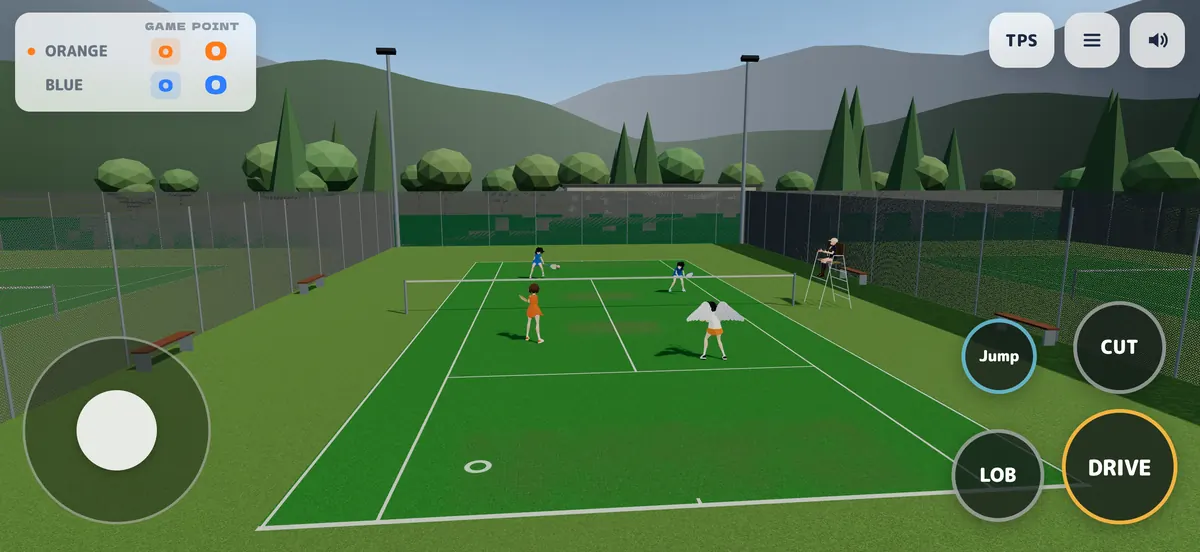
- DoublesNet player or baseliner
- 2–4players online
- 6practice drills
What you can do
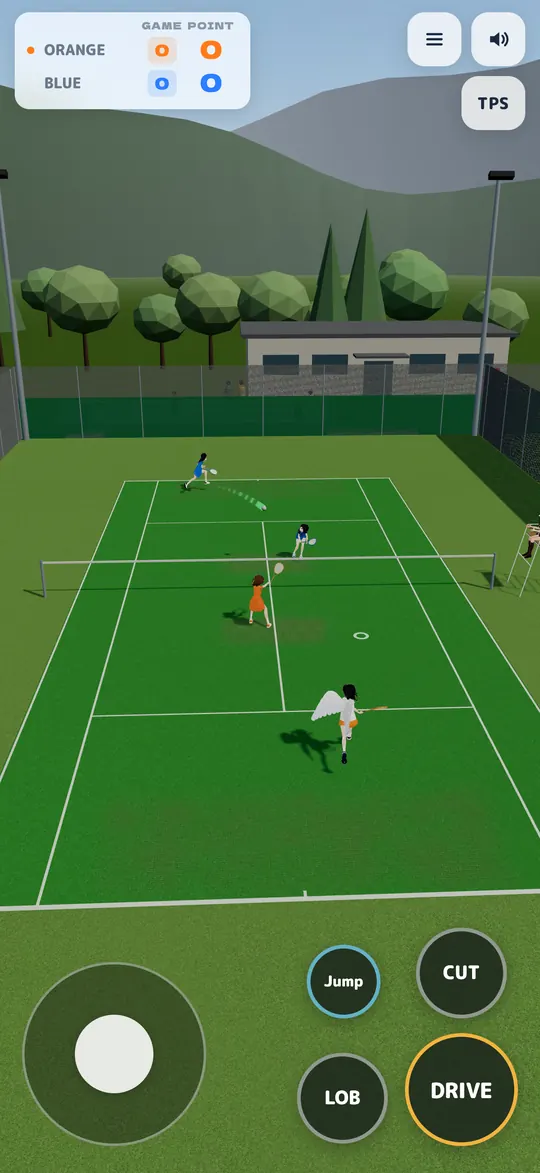
Doubles against the CPU
Play at the baseline or at the net; your partner and both opponents are CPU. Five difficulty levels. Mix drives, cuts, lobs, smashes and volleys.
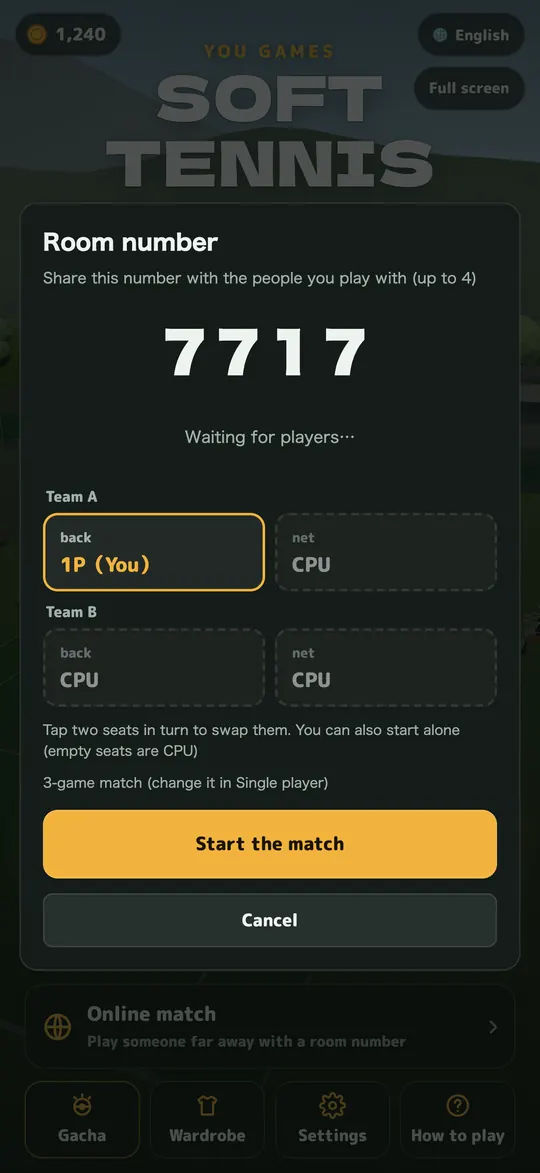
Online with friends
Create a room and a 4-digit number appears. Share it and play with 2 to 4 people far away. Empty seats are filled by the CPU.
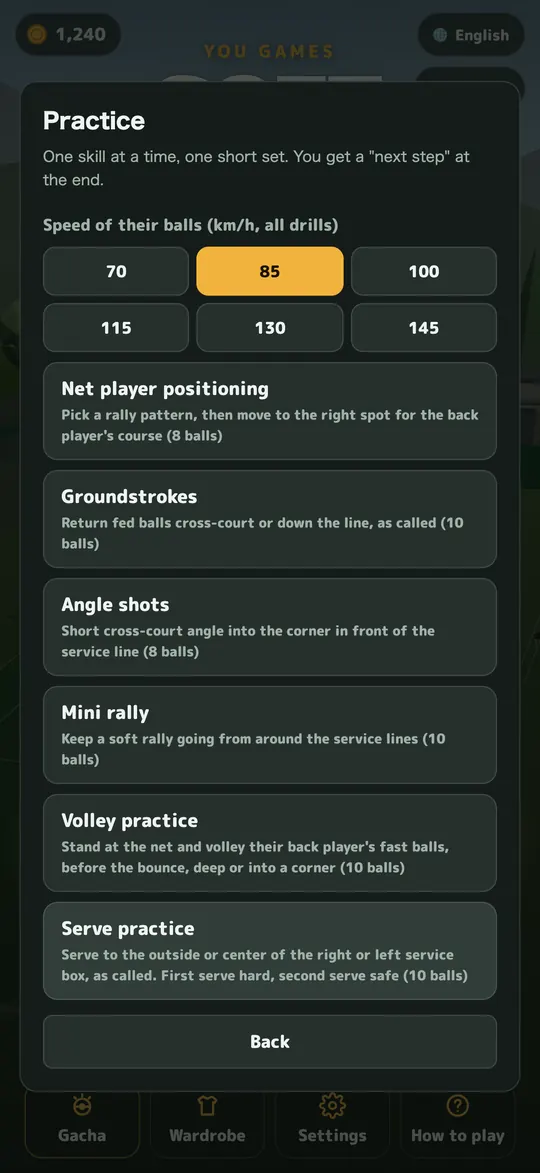
Drills like club practice
Net positioning, strokes, angle shots, short rally, volleys and serves. Pick the incoming ball speed from 70 to 145 km/h. You get a score and a tip at the end.
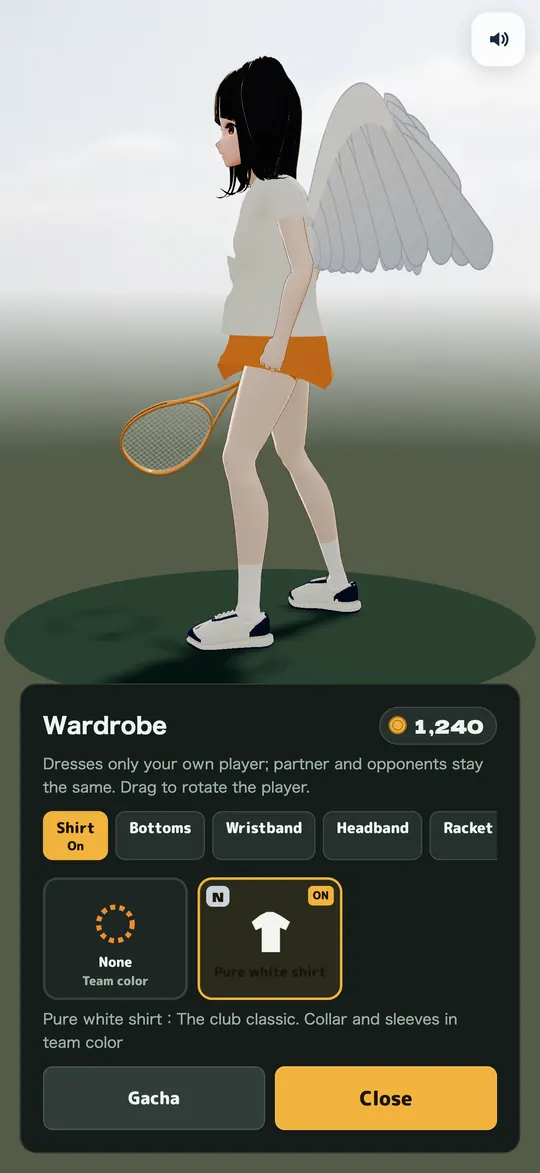
Dress up
Shirts, shorts or skirts, rackets, shoes and more. What you wear also shows on your opponents' screens online.
How to play
- Open softtennis.app
On a phone, turn it sideways for a wider view of the court. - Move with the left stick
Get to where the ball is going first. - Hold a hit button to get ready, release to hit
While holding, slide your finger to change the direction. Release when the ring at your feet turns green for a “GREAT!!”. - Three buttons plus jump
Drive, cut and lob. Near the net they become volleys and smashes.
The first time you open the game, a short guide explains the basics. On a PC you can use the keyboard.
What's free
| Practice (6 drills) | Free, unlimited |
|---|---|
| Solo and online matches | Free up to 3 a day in total |
| Wardrobe and gacha | Played with coins you earn in matches |
| Monthly membership | Unlimited matches. On the web it is ¥480 a month (tax included), and the first week is free for first-time members. The membership screen shows the price and how to cancel before you sign up. |
iPhone app
We are preparing the iPhone app, SOFT TENNIS 3D, and will announce it on this page and on social media when it is ready.
Until then, open softtennis.app in Safari to play the same game. Add it to your Home Screen to open it like an app (how to add it).
Watch
Gameplay videos and streams are welcome (videos and streaming).
FAQ
Is it free?
Practice is free and unlimited. Solo matches and online matches are free up to 3 a day in total. A monthly membership lets you play as many matches as you like.
Can I play on Android or a PC?
Yes. Open softtennis.app in Chrome on Android, or in Chrome, Edge or Safari on a PC. On a PC you can play with the keyboard.
Is there an iPhone app?
We are preparing the iPhone app, SOFT TENNIS 3D, and will announce it on this page and on social media when it is ready. Until then you can play the same game in Safari.
Can I play with friends?
Yes. Create a room in Online and a 4-digit number appears. Share it to play with 2 to 4 people. Empty seats are filled by the CPU.
The controls feel hard. Any tips?
Set the CPU level to Beginner for stronger hitting assist, and try the practice drills one at a time. You can also move and resize the buttons from “Time” during a match.
How do I move or resize the stick and buttons?
During a match, tap Ⅱ (Time) at the top right. Outside a match, open “Settings” on the home screen. Then tap “Edit button layout”. Press and drag a part to move it. Use the slider below or pinch with two fingers to resize it. Portrait and landscape are saved separately.
Which languages?
Japanese, English, Korean and Traditional Chinese. Switch at the top right of the title screen.
Where do I send bugs or requests?
Send a DM to @yougames_jp on TikTok or Instagram. Many features came from comments (support).